Why track expenses by location
If you run multiple branches, knowing how much each location costs to operate is critical. Branch-scoped expenses let you see the profitability of each location by comparing revenue and expenses on a per-branch basis.
Navigate to: Sidebar → Expense → + Add Expense → Branch field
Assigning expenses to a branch
When logging an expense:
- Create the expense as usual
- In the Branch field, select which location the expense belongs to
- Save
If the expense applies to all locations (like a company-wide software subscription), you can leave the branch field empty. These show up as "General" expenses in reports.
Viewing expenses by location
- Go to Expenses
- Use the Branch filter to select a specific location
- The list updates to show only expenses for that branch
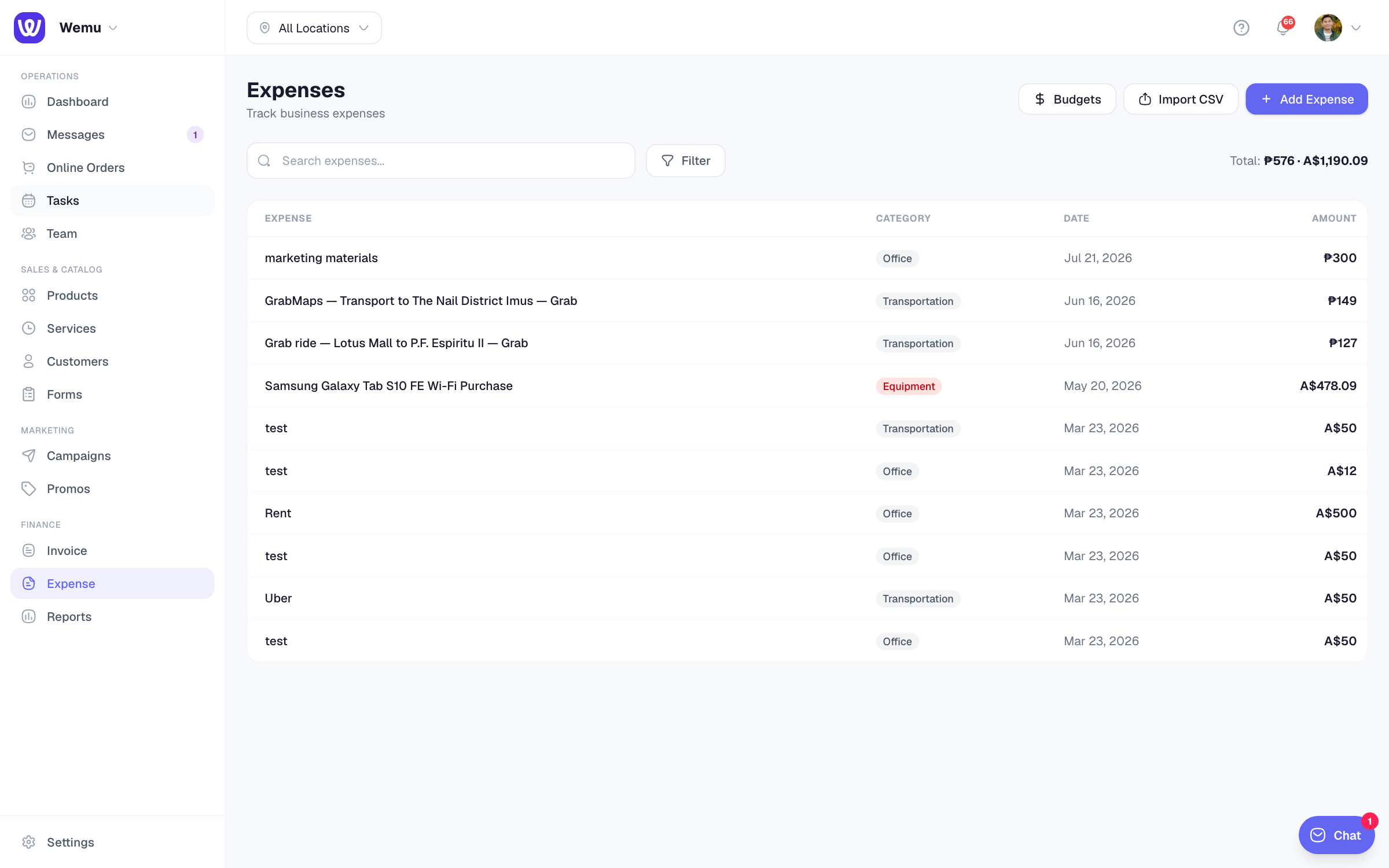
You can also compare branches in the Reports section.
Common branch-specific expenses
- Rent and utilities for each location
- Location-specific supplies and inventory
- Local marketing or advertising
- Staff wages at that branch
- Maintenance and repairs
Shared vs. location-specific costs
Some expenses are shared across the business:
- Company-wide software subscriptions
- Accounting and legal fees
- Central marketing campaigns
- Insurance for the whole business
For shared expenses, either leave the branch blank or create a "Headquarters" or "General" branch to assign them to.
Tip: Be consistent about assigning branches. If rent for Location A gets tagged correctly but rent for Location B doesn't, your per-location reports will be misleading. Make it a habit to always select the branch when entering any expense.
Branch profitability reports
With branch-scoped expenses, you can see each location's profitability:
- Revenue per branch (from orders and bookings)
- Expenses per branch
- Net profit per branch
This data helps you make decisions about expanding, closing, or investing in specific locations.