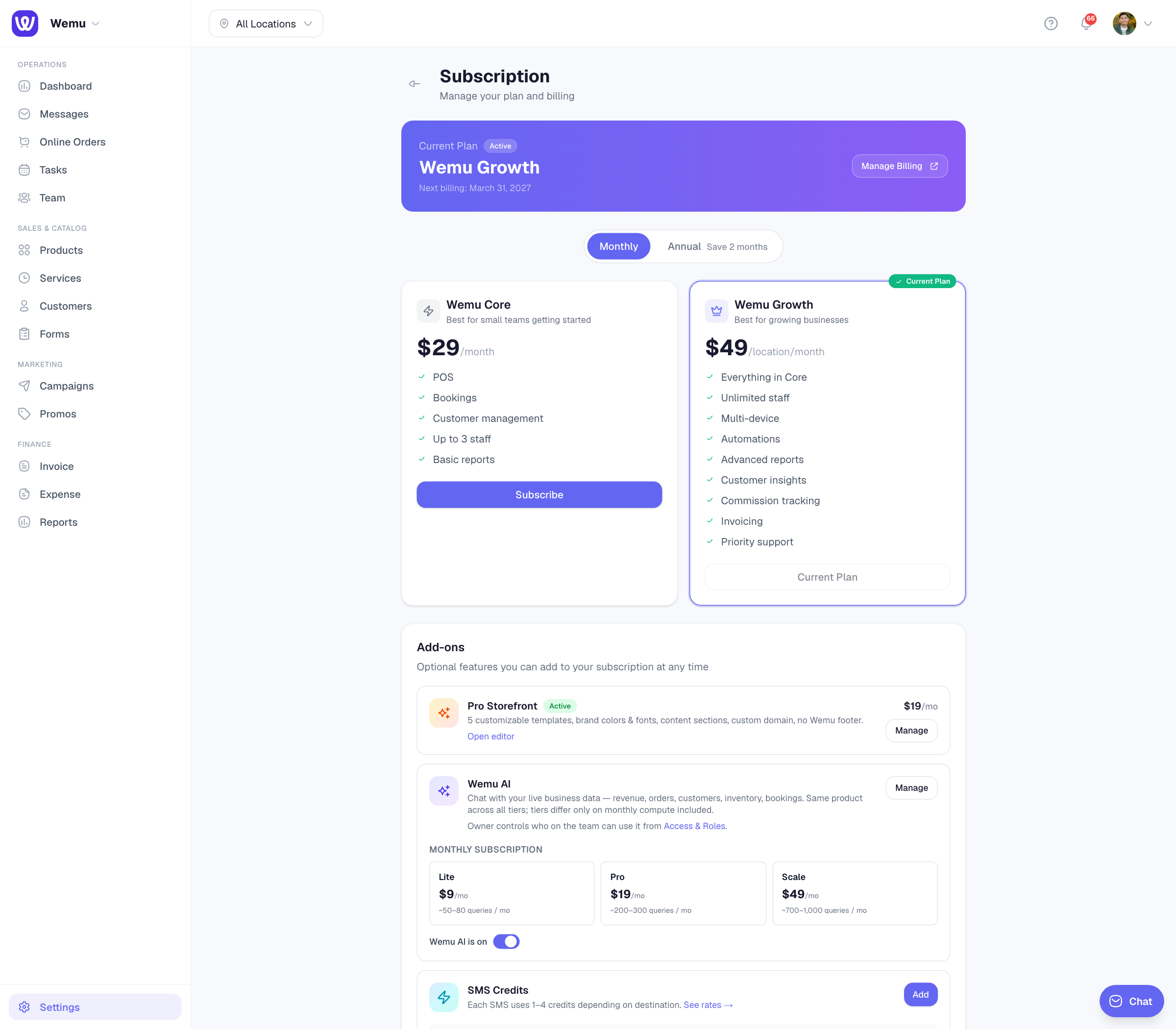
Scaling your plan
As your business grows, you may need to add more team members or open new locations. Wemu makes it easy to scale without switching plans.
Navigate to: Settings → Subscription → Team Seats / Locations
Adding team seats
Each plan includes a base number of team seats. When you need more:
- Go to Settings > Billing
- Under Team Seats, you'll see your current count and limit
- Tap Add Seats
- Choose how many additional seats you need
- Review the prorated cost
- Confirm
New seats are available immediately, and the cost is prorated for the remainder of your billing cycle.
Screenshot: The Stripe checkout flow for adding team seats with prorated cost summary
The Stripe checkout flow for adding team seats with prorated cost summary
Adding locations
Similarly, when you're ready to open a new branch:
- Go to Settings > Billing
- Under Locations, see your current count and limit
- Tap Add Location
- Review the additional cost
- Confirm
The new location slot is available immediately, and you can set it up under Settings > Locations.
How pricing works
- Wemu Core ($29/month) — 1 location, up to 3 team members. You cannot add more locations or team members on Core. Upgrade to Growth to unlock more.
- Wemu Growth ($49/location/month) — Unlimited team members. Each additional location costs $49/month. Add as many as you need.
- Wemu Enterprise — Unlimited everything. Contact sales for custom pricing.
Upgrading from Core to Growth
If you're on Core and need more than 3 team members or more than 1 location:
- Go to Settings → Subscription
- Click Subscribe on the Growth plan
- Complete the Stripe checkout
- Your account is instantly upgraded with unlimited team members
Tip: When you try to add a 4th team member or a 2nd location on the Core plan, Wemu will automatically prompt you to upgrade to Growth.
Plan limits
- Core: 1 location, 3 team members (including the owner)
- Growth: Unlimited team members, $49/month per location
- Enterprise: Unlimited everything