What is the Kanban board
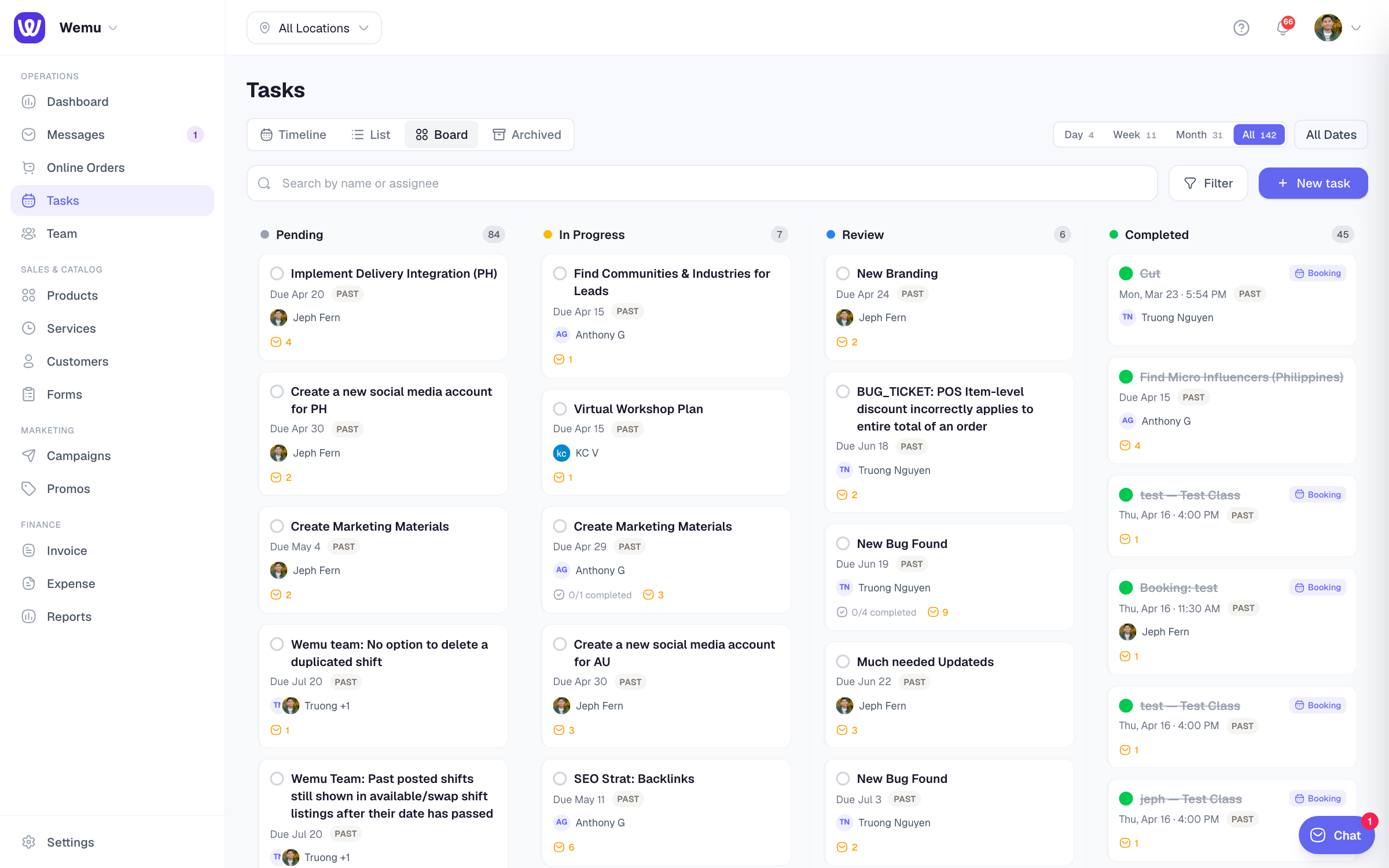
The Kanban board is a visual way to manage tasks. It shows tasks as cards organized into columns representing different stages. You drag cards from left to right as work progresses.
Navigate to: Sidebar → Tasks → Board view
Default columns
- Pending — Tasks that haven't been started yet
- In Progress — Tasks someone is actively working on
- Review — Tasks that are done but need to be checked or approved
- Completed — Finished tasks
Creating tasks on the board
- Go to Tasks and switch to the Board view
- Tap + Add Task in any column (usually Pending)
- Enter the task title
- Optionally add a description, assignee, due date, and priority
- Tap Save
The task card appears in the column where you created it.
Moving tasks
Drag a task card from one column to another to update its status. You can also:
- Open the task and change the status from the dropdown
- Use the quick action menu on the card
Task card information
Each card shows:
- Task title
- Assignee (with avatar)
- Due date (highlighted red if overdue)
- Priority indicator (color-coded)
- Subtask progress (e.g., "2/5 done")
- Labels or tags
Filtering tasks
Filter the board to focus on specific tasks:
- By assignee — Show only your tasks or a specific team member's
- By priority — High, Medium, Low
- By due date — Overdue, due today, due this week
- By label — Custom tags you've created
Tip: Keep your board clean by archiving completed tasks regularly. A cluttered Completed column makes it harder to focus on active work. You can always find archived tasks through search.
Custom columns
You can add, rename, or reorder columns to match your workflow. For example, you might add a "Blocked" column for tasks that are stuck waiting for something.