What invoices are for
Invoices are documents you send to customers requesting payment. They include a breakdown of what was provided, the amounts owed, tax information, and payment terms. Wemu makes creating professional invoices fast and easy.
Navigate to: Sidebar → Invoice → + New Invoice
Creating an invoice
- Go to Invoicing in the main navigation
- Tap + New Invoice
- Select a customer from your contacts or create a new one
- Add line items — these are the products or services you're billing for
- Set quantities and prices for each item
- Apply tax rates if applicable
- Add any discounts
- Review the total
- Tap Save (as draft) or Send to deliver it immediately
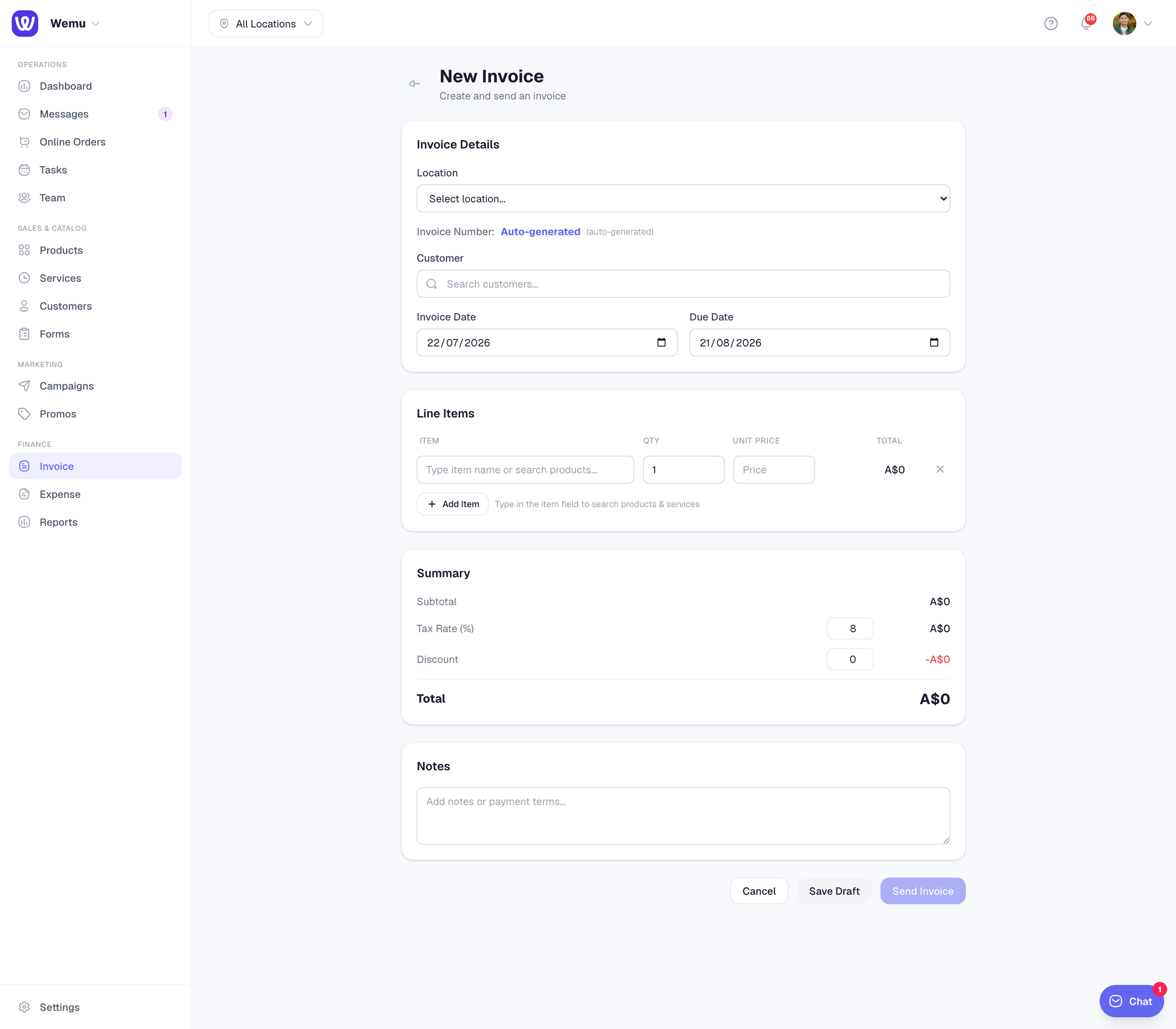
Adding line items
For each line item, you can:
- Select an existing product or service from your catalog
- Or create a custom line item with a name, quantity, and price
- Set the tax rate per item
Applying discounts
Add discounts at the item level or the invoice level:
- Item discount — A percentage or fixed amount off a single line item
- Invoice discount — A percentage or fixed amount off the entire invoice total
Tax configuration
Set up your tax rates under Settings > Tax. Once configured, you can apply them to invoice line items. Wemu calculates the tax amount automatically and shows it as a separate line on the invoice.
Invoice details
Each invoice includes:
- Your business name and contact info
- Customer name and contact info
- Invoice number (auto-generated or custom)
- Issue date and due date
- Line items with quantities and prices
- Subtotal, tax, discounts, and total
Tip: Save invoices as drafts if you're not ready to send them yet. This lets you come back and review before the customer sees it. Once sent, the invoice is locked from major changes.
Invoice templates
Wemu generates clean, professional invoices automatically. Your business logo, name, and contact details are pulled from your account settings.