What the dashboard shows
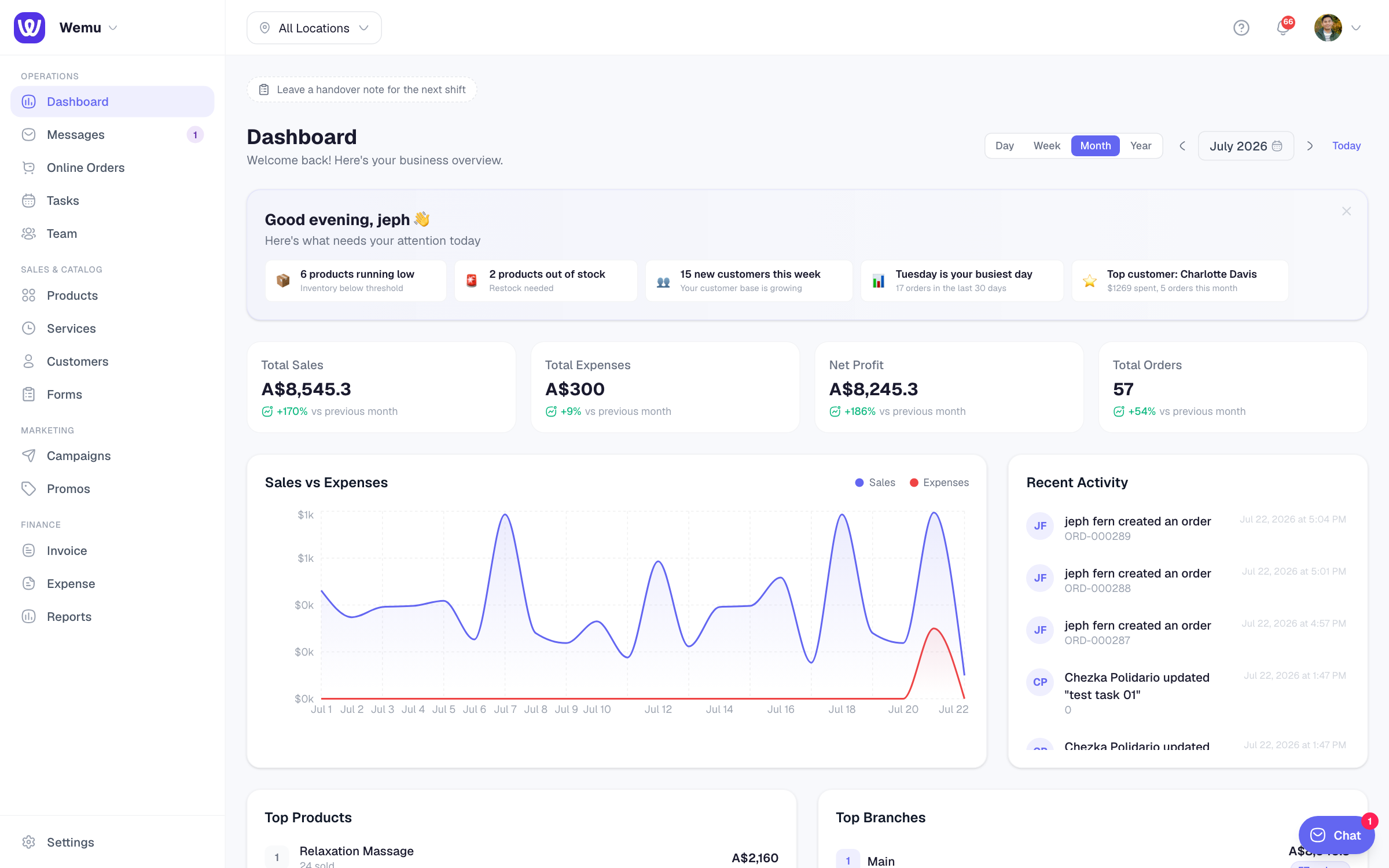
The dashboard is a quick look at how the business is doing, built from widgets you choose.
Navigate to: Sidebar → Dashboard
Choose the period
At the top right, pick Day, Week, Month or Year. Use the arrows to step back or forward, click the date to pick one from a calendar, or press Today to come back. The location switcher at the top of the app chooses which location you're looking at.
Key numbers
The Key numbers widget shows Total Sales, Total Expenses, Net Profit and Total Orders for the period, each with the change against the previous day, week, month or year.
Widgets
A new dashboard starts with Key numbers, Needs attention (Wemu AI), Low stock, Sales vs Expenses, Recent Activity, Top Products and Top Branches.
You can also add Equipment today, Today's bookings, Open tasks, In review, Unpaid invoices, Online orders, Who's working now, New leads (forms), Top clients this month and Team hours this week.
Needs attention lists short alerts and insights, such as products running low or your busiest day. Recent Activity is a live feed of what's happening across the business.
Customise the layout
- Press Customize
- Use the arrows on a widget to move it earlier or later
- Press its size button to cycle through S, M, W and Full. Full gives a widget its own row.
- Press × to remove a widget, or a + button under Add to bring one back
- Press Done
Reset to default puts the starting layout back. Your layout is saved for you in each business you belong to.
Above the widgets
- Payment disputes: if a card payment is disputed, a banner says how many need a response and links to the order. See Card disputes (chargebacks).
- Shift handover: press Leave a handover note for the next shift (or + Add note when notes are showing) to leave a note for whoever works next. Each note stays on their dashboard until they mark it as read.
Tip: Make the dashboard your first look of the day: key numbers, what needs attention, and today's bookings in one screen.