Opening reports
Navigate to: Sidebar → Reports
Pick the period with the date picker at the top (see Custom date range filtering), and the location with the location switcher at the top of the app. The chip next to the date picker shows which location the figures are for. The export menu downloads the current tab as Excel, CSV or PDF; see Exporting report data.
The tabs
- Overview: Revenue, Orders, Avg Order Value and Expenses, plus Refunds and Tips Collected when you have them. Then Revenue Trend, Revenue by Category, Top Products, Category Performance, Commission, GST / Tax Summary, and Memberships, Vouchers & Credit Packs.
- Orders: Top Products by Order Count, Orders by Status, Recent Orders, and every refund with who gave it.
- Products: product performance, top categories and brands, profit and margin, what to reorder, dead stock, items out of stock, refund hotspots, items often bought together, busiest times, branch differences and variant performance.
- Services: what each service earned and what it cost to perform.
- Invoices: invoice summary, paid against unpaid, and invoice details.
- Customers: top customers by spend and top returning customers.
- Expenses: expenses by category, the largest expenses, and the expense log.
- Growth: revenue against expenses, and how this period compares with the one before.
- Team and Payroll: hours, pay, tips and commission. See Team performance reports.
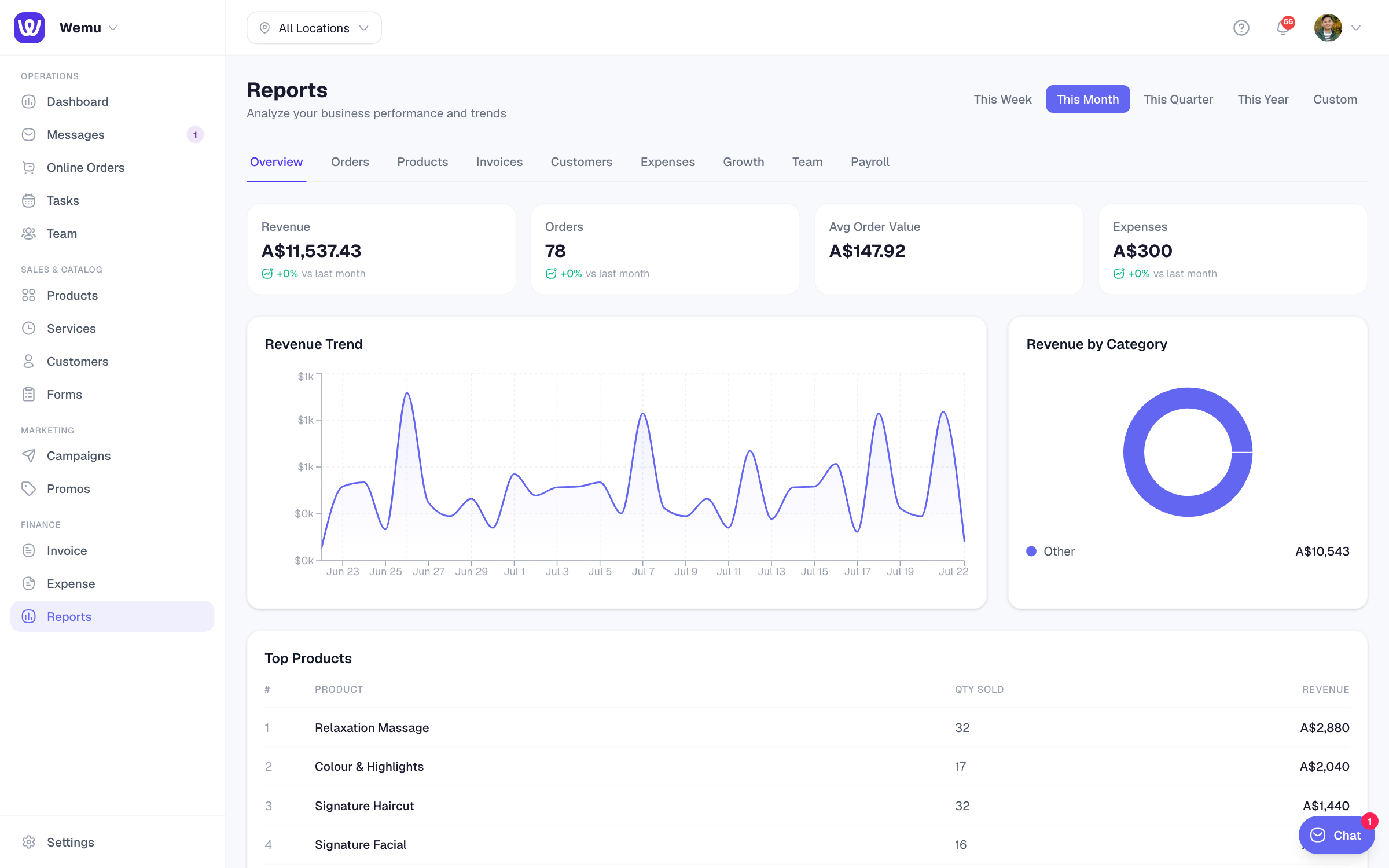
What revenue counts
Revenue counts completed orders and paid invoices in the period, without shipping and delivery fees, which are passed on to the carrier. A fully refunded order drops out; refunds show in their own Refunds tile.
Comparing periods
There's no separate compare button. The Growth tab compares the period you picked with the period of the same length just before it:
- Revenue vs previous period, new customers, returning customers and average order value
- Where revenue came from: new customers, returning customers or walk-ins
- Growing and Declining: the items whose revenue moved most
- A growth rate for each day, week or month in the period
The dashboard's Key numbers also compare with the previous day, week, month or year.
Tip: Don't stop at total revenue. If it falls, check orders and average order value: fewer customers and smaller orders need different fixes.