How Wemu SMS works
Wemu sends and receives SMS on your behalf — no Twilio account, no phone number, no compliance setup needed. Once you have SMS credits, you get:
- Booking confirmations and reminders (auto-sent)
- Marketing campaigns (bulk sends from Campaigns), to customers who've agreed to texts
- Two-way Inbox (customers can reply, you reply back)
- Form invitations sent via SMS link
- Review prompts after appointments
Navigate to: Settings → Integrations → SMS Marketing
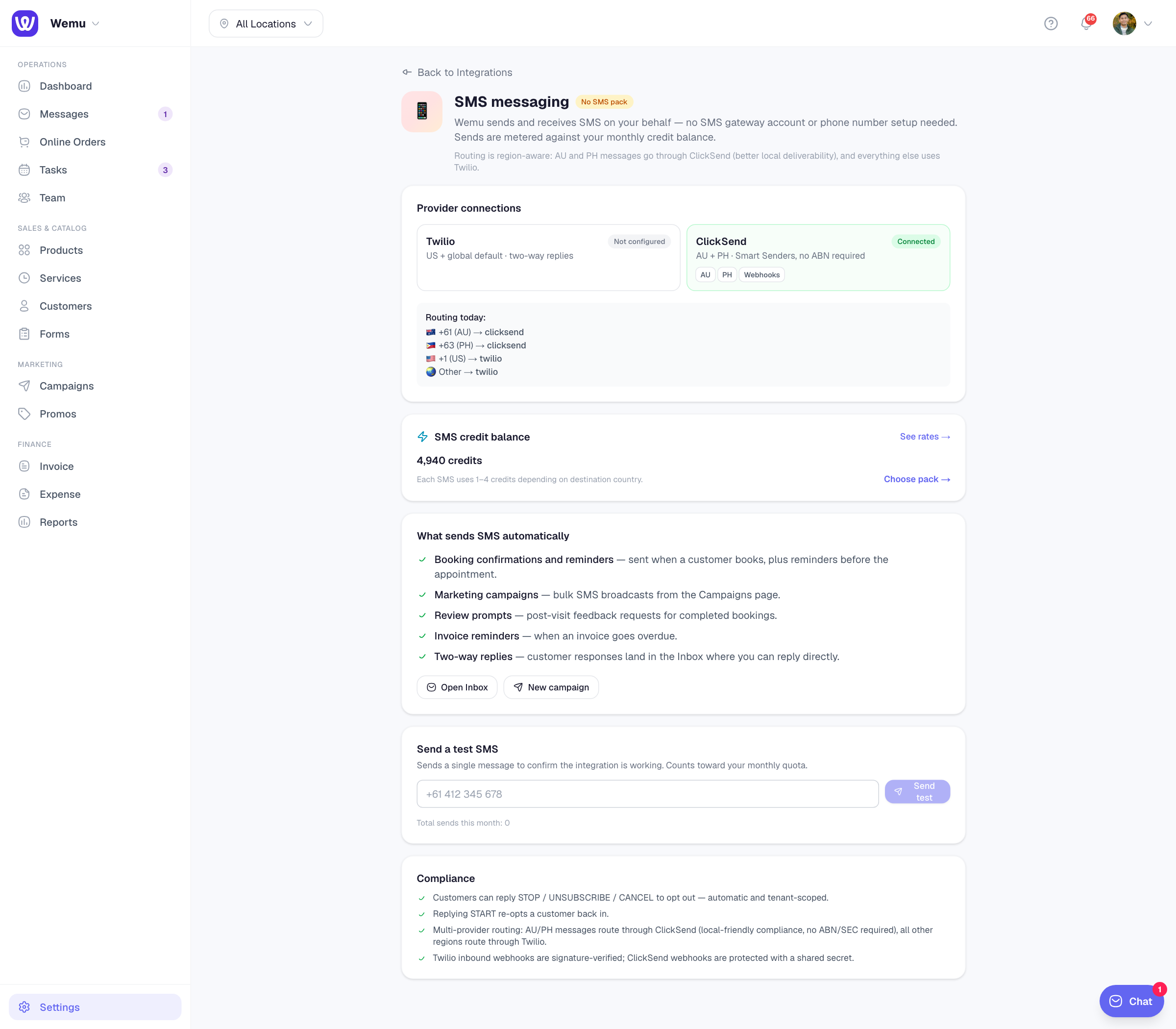
Routing under the hood
Wemu picks the best provider for each destination automatically:
- 🇦🇺 Australia (+61) routes through ClickSend with a dedicated AU number
- 🇵🇭 Philippines (+63) routes through ClickSend
- 🇺🇸 US (+1) and other regions route through Twilio
You don't need to think about this — Wemu handles it. Customers see one consistent number per business.
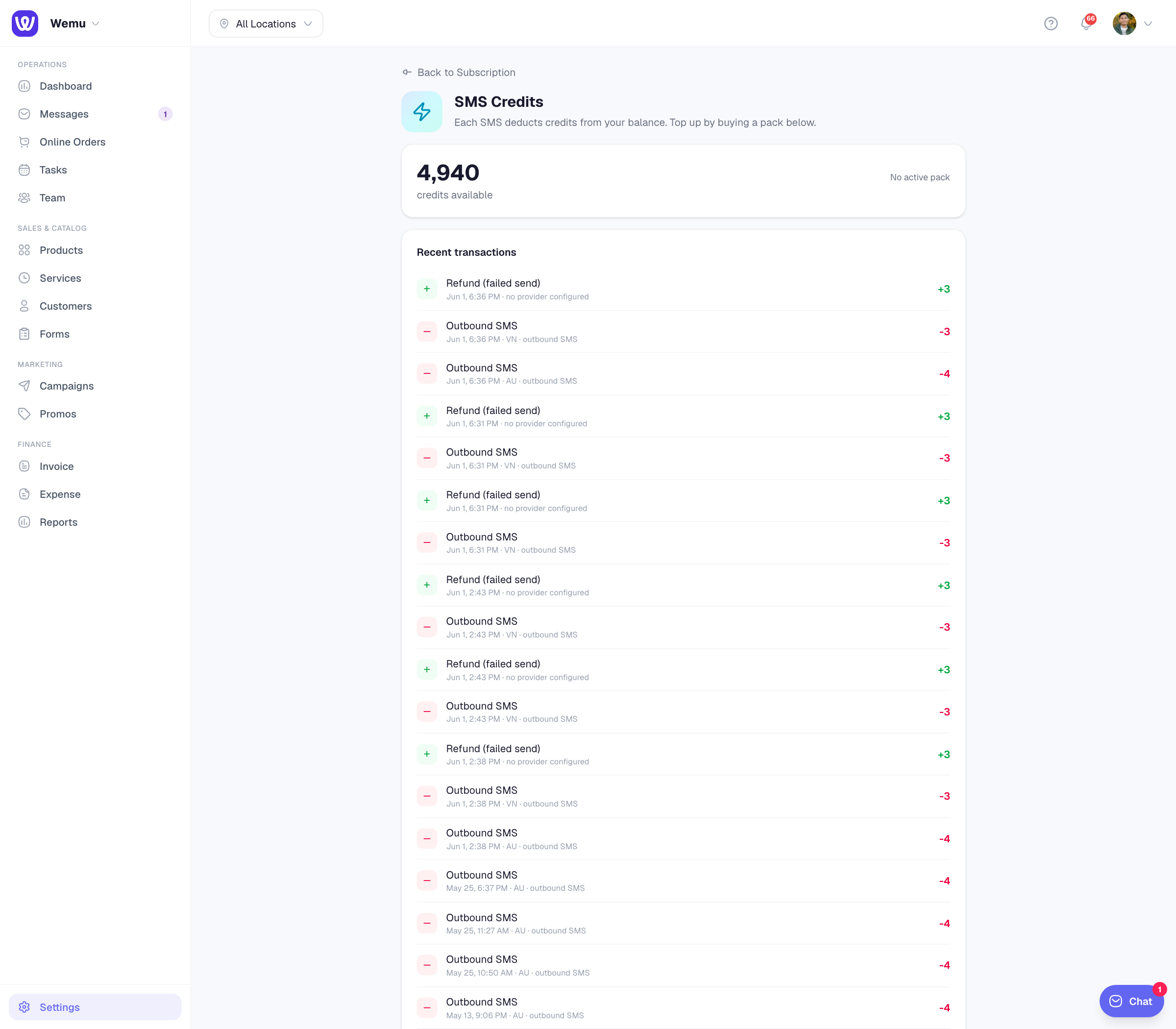
Credits
Texts use prepaid credits, and a free trial starts with none. To switch SMS on, pick a monthly pack in Settings → Subscription → Add-ons → SMS Credits:
- Starter — 500 credits/mo for $19
- Growth — 2,000 credits/mo for $59
- Scale — 5,000 credits/mo for $129
Each text uses 1 to 5 credits for every part it's sent in, depending on where it's going: US = 1, UK = 2, PH = 3, AU = 4, and countries not on the list (Papua New Guinea included) = 5. A long text goes out in several parts, and an emoji or special character (even a curly quote or a long dash) cuts each part from 160 characters to 70. See the full rate table under See rates by country on the SMS Credits card.
Send a test SMS
The fastest way to verify everything works:
- Open /settings/integrations/twilio
- Scroll to "Send a test SMS"
- Enter your phone number with country code (e.g., +61432255311)
- Click Send test
The message arrives within about 10 seconds and its credits are deducted. The test text goes out in two parts, so it uses 8 credits to an Australian number.
Compliance
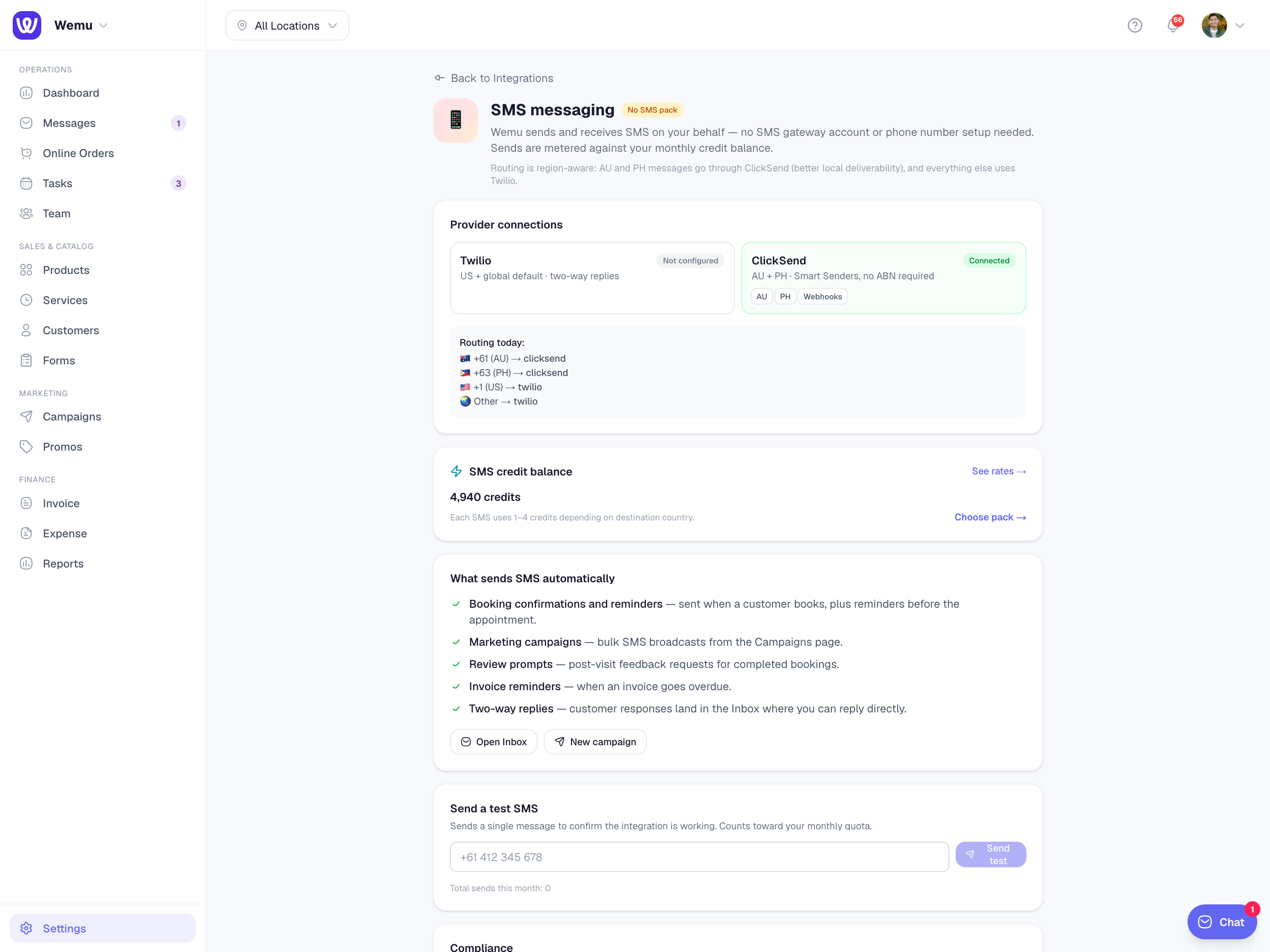
Wemu handles compliance automatically:
- Marketing texts only go to customers you've recorded as agreeing to texts (see Marketing consent and unsubscribes)
- Every marketing text ends with how to opt out: Reply STOP when it comes from your own number, or an Opt out link when it comes from Wemu's shared sender name, which can't receive replies (usually the case in Australia and the Philippines)
- A STOP reply (or UNSUBSCRIBE, CANCEL and the like) opts the number out of every text from your business
- Opted-out numbers are blocked from future sends (per business)
- A customer who replied STOP can reply START to opt back in
- Inbound webhook signatures are verified to prevent spoofing